


Understanding natural disasters
Tokyo Disaster Prevention Map ②
How to use the Tokyo Disaster Prevention Map ② When searching disaster information 1
- Open the Tokyo Disaster Prevention Map website.
■ Tokyo Disaster Prevention Map (Disaster Prevention Division, Bureau of General Affairs, Tokyo Metropolitan Government)
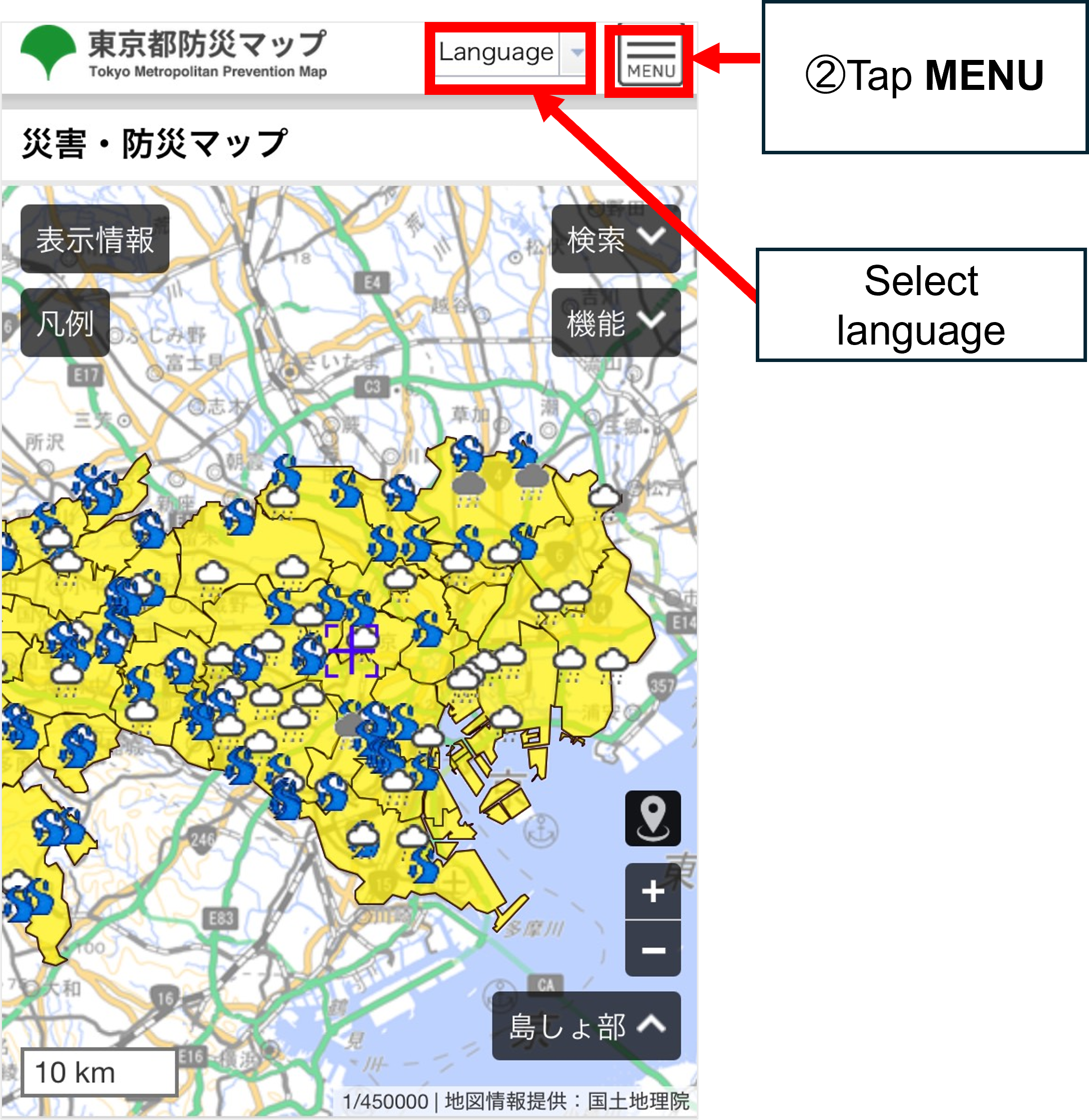
https://map.bosai.metro.tokyo.lg.jp/(Machine translation available into English, Chinese, and Korean) - Tap MENU.
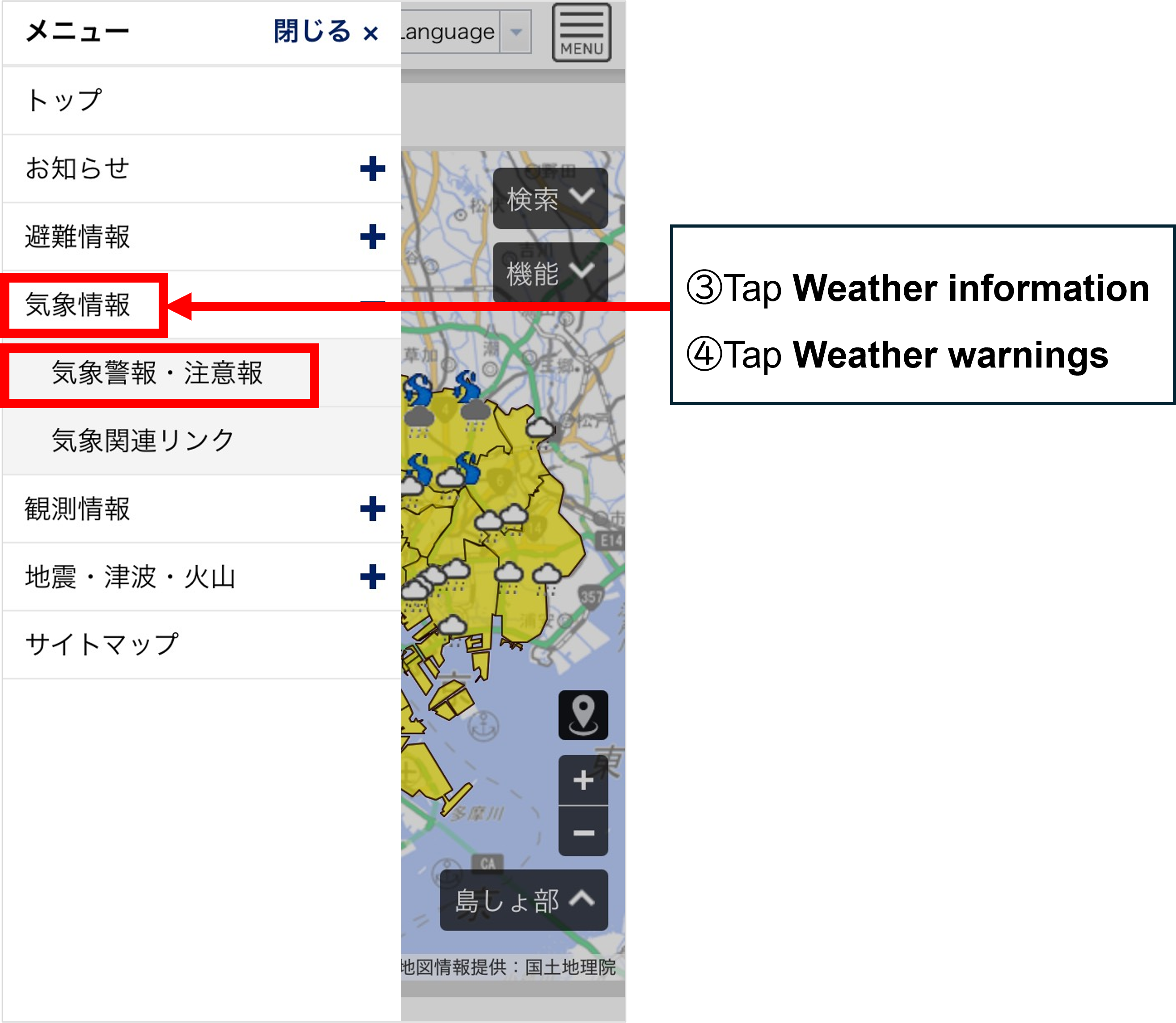
- Tap Weather information.
- Tap Weather warnings.
- Warnings that are now in place will be displayed.
(Scroll horizontally.)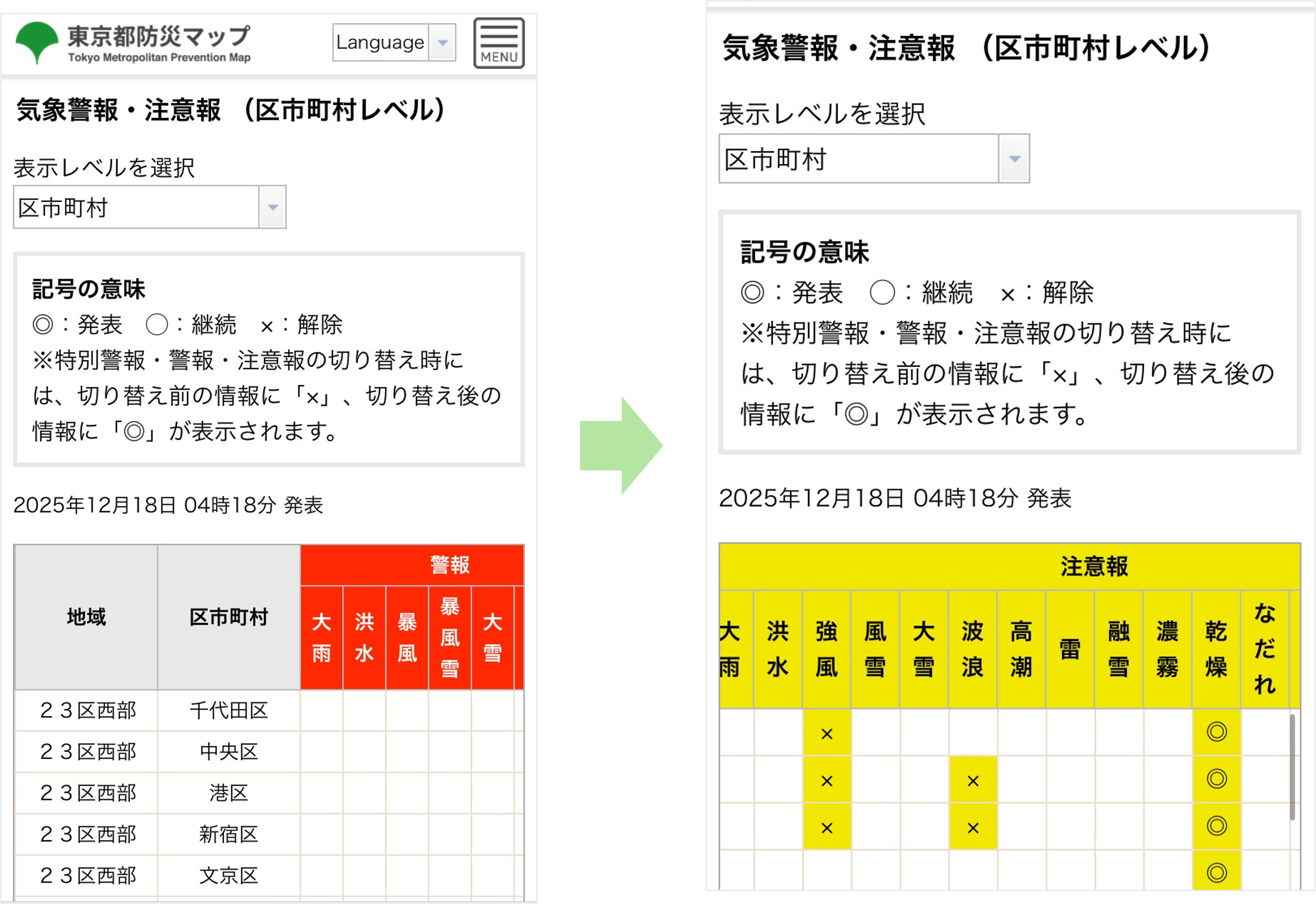
When disaster prevention/disaster information (warnings, etc.) is released
The map colors will change.
To check what information (warnings, etc.) has been issued
How to use the Tokyo Disaster Prevention Map ② When searching disaster information 2
- Open the Tokyo Disaster Prevention Map website.
■ Tokyo Disaster Prevention Map (Disaster Prevention Division, Bureau of General Affairs, Tokyo Metropolitan Government)
https://map.bosai.metro.tokyo.lg.jp/ (Machine translation available into English, Chinese, and Korean) - Scroll down.
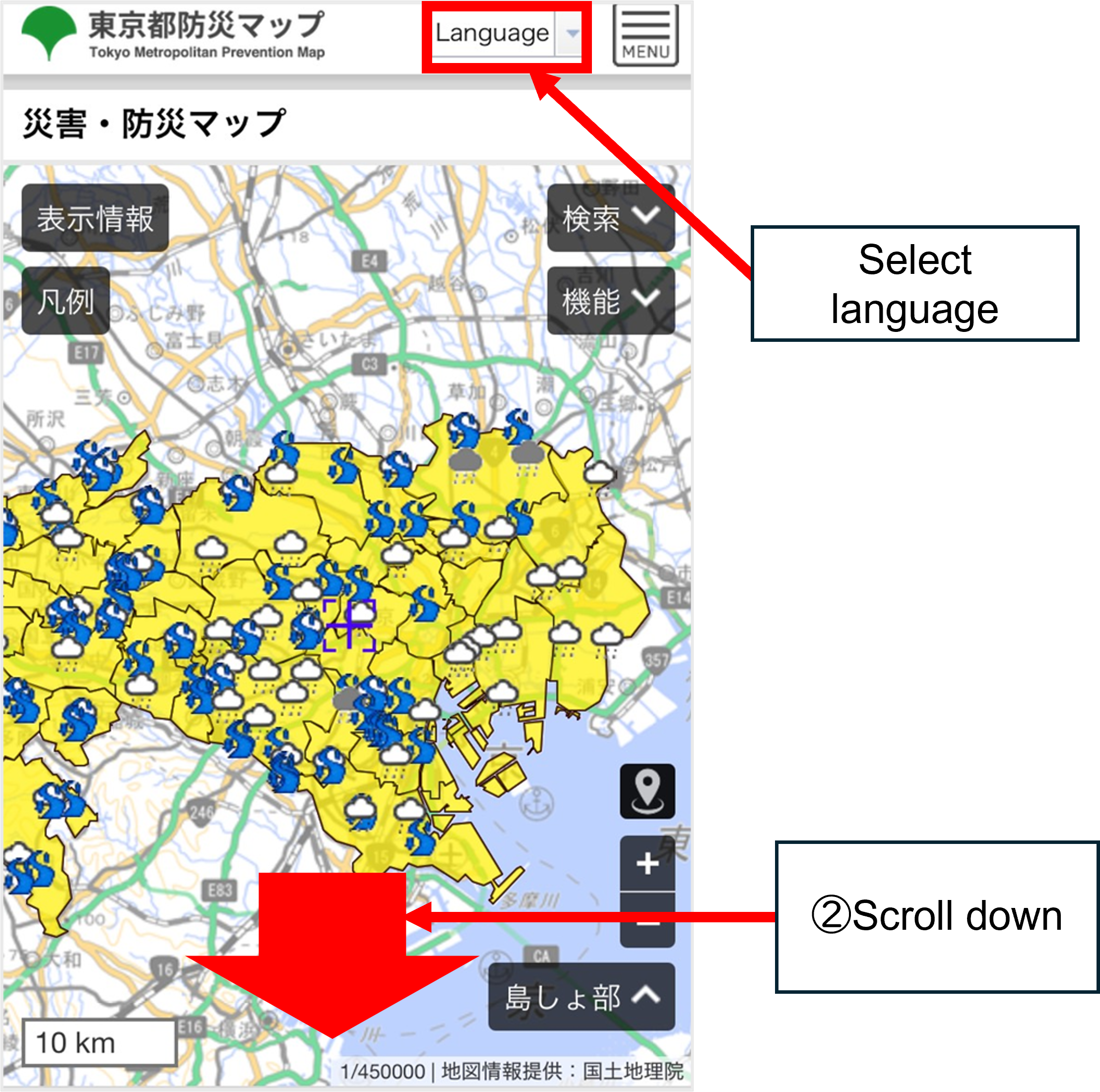
- Select the area where you are right now or the area you want to check.
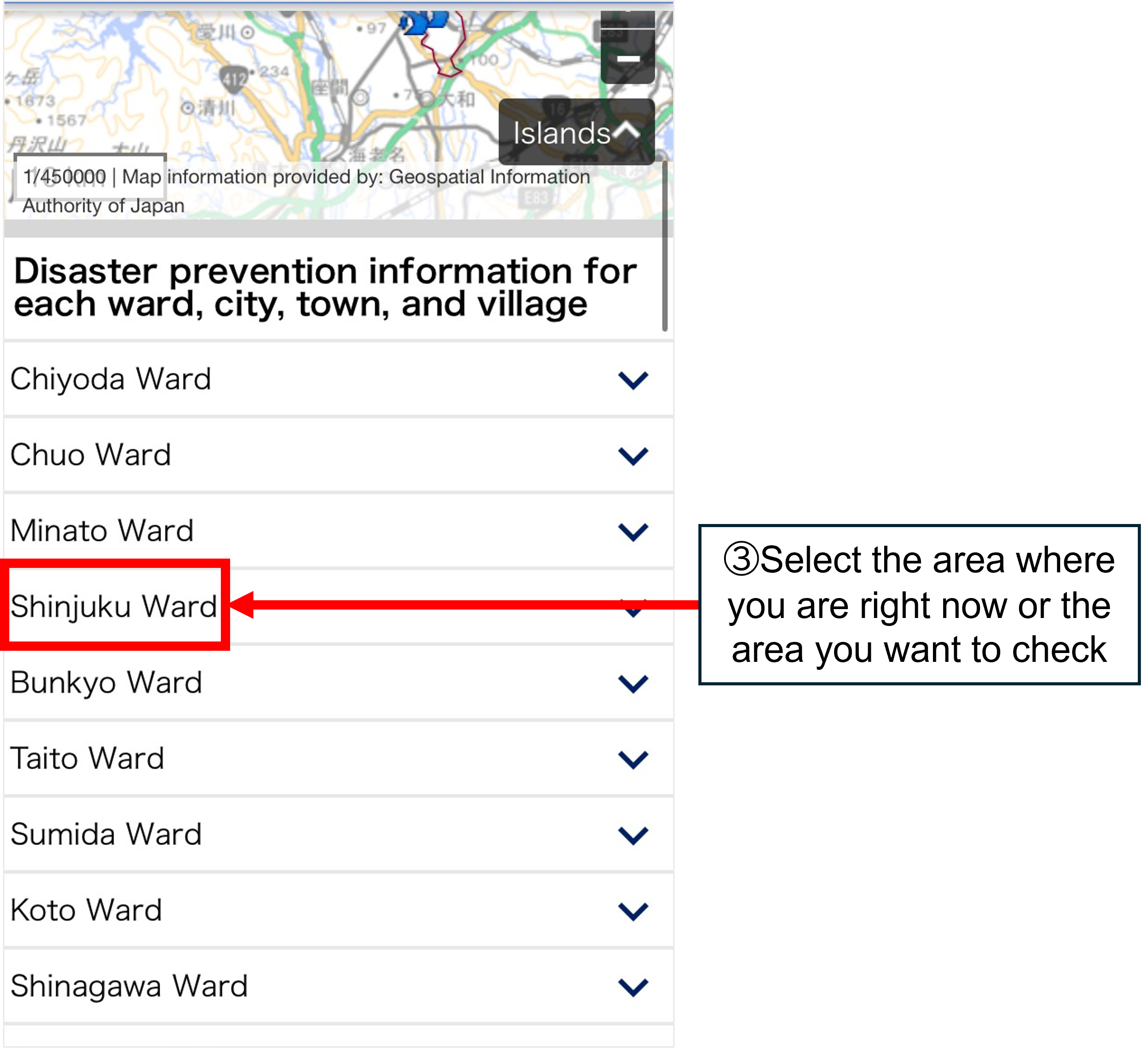
- You can check information issued for each municipality.
Tap a question mark (?), and a legend will be displayed.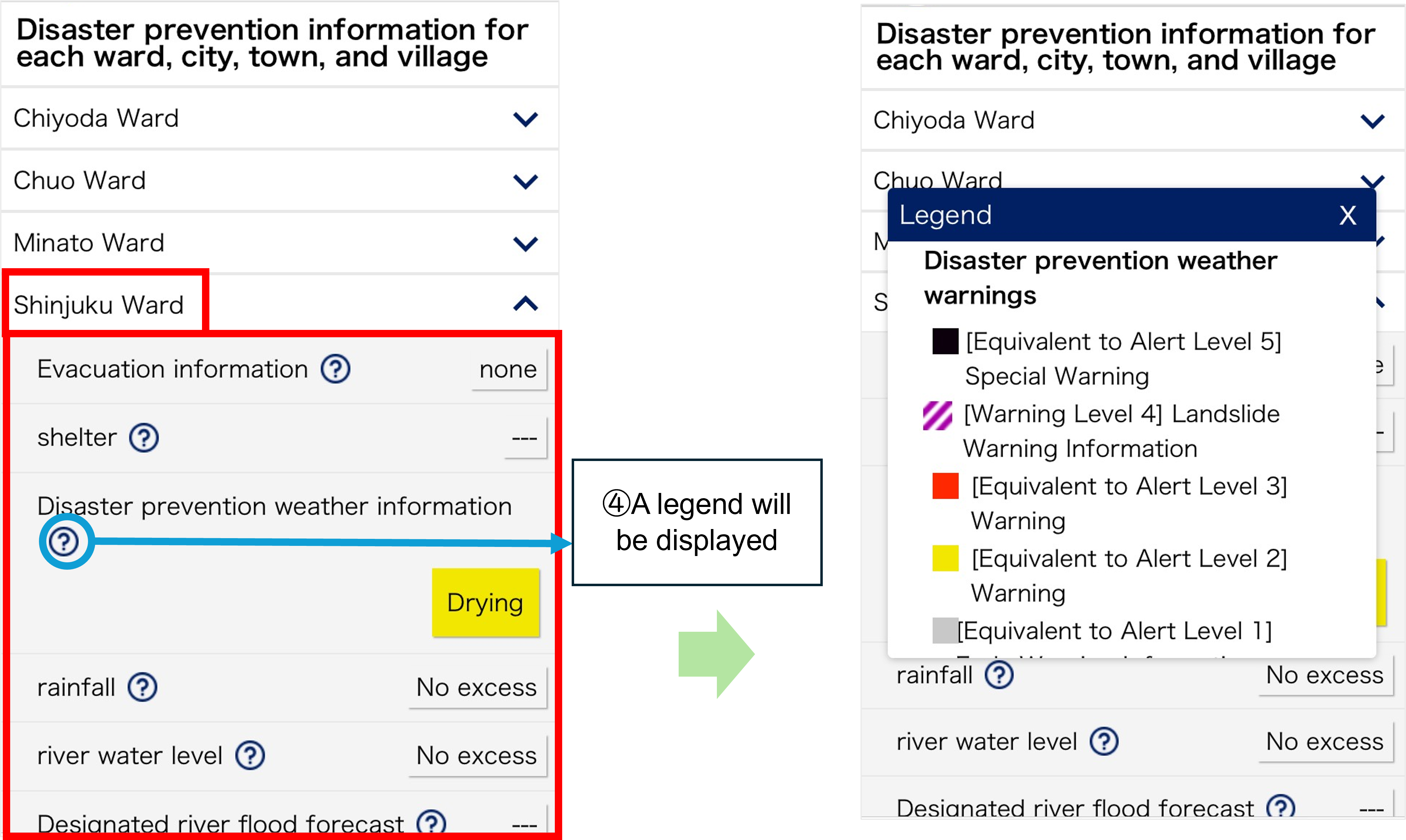
When disaster prevention/disaster information (warnings, etc.) is released
The map colors will change.